
License Plate Recognition Built for Smarter Traffic and Public Safety Monitoring
Winstar Cloud helps turn passing vehicle events into searchable records. Connected camera systems capture the event, recognition software extracts plate and vehicle details, and the platform makes that information available for alerts, review, reporting, and authorized search.
How Winstar Cloud LPR Works
The platform is designed around a simple flow: capture the event, identify the vehicle, and make the record useful through cloud search, alerts, and reporting.
Capture the Vehicle Event
A roadside camera or connected monitoring device observes a passing vehicle and creates an event with the relevant date, time, and device location.
Read the Plate and Vehicle Details
The captured event is processed to identify readable plate text and supporting vehicle information such as color, body style, or other visible characteristics when available.
Search, Alert, and Review
Authorized users can search records, review related images or video, generate reports, and receive alerts when configured conditions are met.
From Roadside Capture to Searchable Event Intelligence
Winstar Cloud is designed to move each vehicle event through a structured workflow so the information is more useful than a simple video file.
Capture
Connected camera hardware captures a passing vehicle event with time and location data.
Recognition
Software extracts readable plate information and visible vehicle details when available.
Cloud Action
Records become searchable for alerts, review, reporting, and authorized follow-up.
See the Platform View
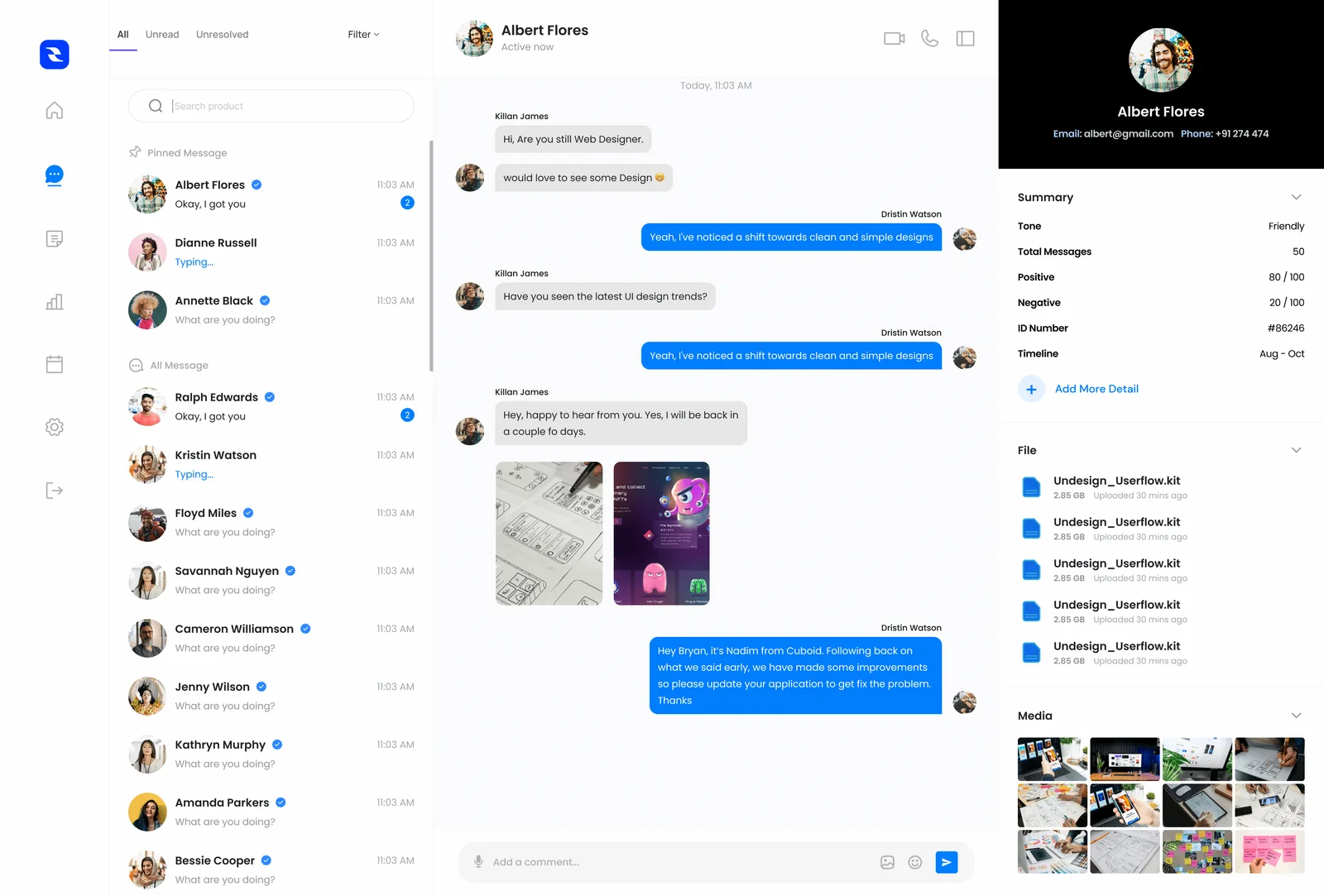
A dashboard view helps organize event data, alerts, and related activity into a workflow that can be reviewed more efficiently.
What Users Can Review
- Recent detected vehicle events
- Plate-based or incident-based searches
- Device location and timestamp information
- Matched alerts and watched vehicle activity
- Cloud-based reporting and trend review
Designed for a Range of Public Safety and Traffic Monitoring Needs
Winstar Cloud can support different deployment types, from neighborhood traffic concerns to broader public-safety and campus monitoring workflows.
Municipalities
Support traffic monitoring, roadway awareness, public works visibility, and event-based review across connected systems.
HOAs & Communities
Improve neighborhood awareness with searchable vehicle event records and visibility into recurring traffic concerns.
Law Enforcement
Support authorized searches, alerts, and follow-up workflows with better organization of captured event data.
Campuses
Help monitor entry points, campus roadways, and parking-related vehicle activity with connected cloud access.
Traditional Cameras vs Winstar Cloud LPR
Standard camera footage can be useful, but LPR systems are built to create searchable vehicle records and faster visibility into specific events.
- Often require manual footage review to locate a specific vehicle event.
- Searching usually depends on knowing the rough time and camera location.
- Plate information may not be organized into structured searchable records.
- Alerts are typically limited unless paired with additional software workflows.
- Creates event-based records built around observed vehicle activity.
- Supports searching by plate, time range, device, or vehicle characteristics.
- Helps organize plate and vehicle data into a more useful review workflow.
- Can support real-time alerts on configured vehicles or event criteria.
Frequently Asked Questions
Here are some common questions about how Winstar Cloud LPR works and how it fits into a connected deployment.
What does Winstar Cloud LPR do?
It helps capture vehicle events, identify readable plate and vehicle details, organize those events into searchable records, and support alerts, reporting, and cloud-based review.
Is it only for license plates?
No. The platform is built around vehicle events and can also organize related information such as timestamps, device location, and visible vehicle characteristics when available.
Can users receive alerts?
Yes. The platform can be structured to notify authorized users when defined event conditions or watched vehicles are detected.
Can records be searched later?
Yes. The workflow is designed to make observations more usable later through searchable event records rather than relying only on manual video review.
Who is this built for?
Winstar Cloud is suited for municipalities, communities, campuses, commercial properties, and authorized public safety workflows.
Does it fit into other Winstar systems?
Yes. Winstar Cloud is intended to work alongside radar speed signs, traffic camera systems, alerts, and reporting tools.
See How Winstar Cloud Fits Your Deployment
Whether you are planning an LPR deployment, traffic camera rollout, or broader connected safety system, Winstar Cloud is built to help you monitor devices, review events, and respond with better visibility.